
Smart Electronix Australia – Precision Repairs for Modern Devices
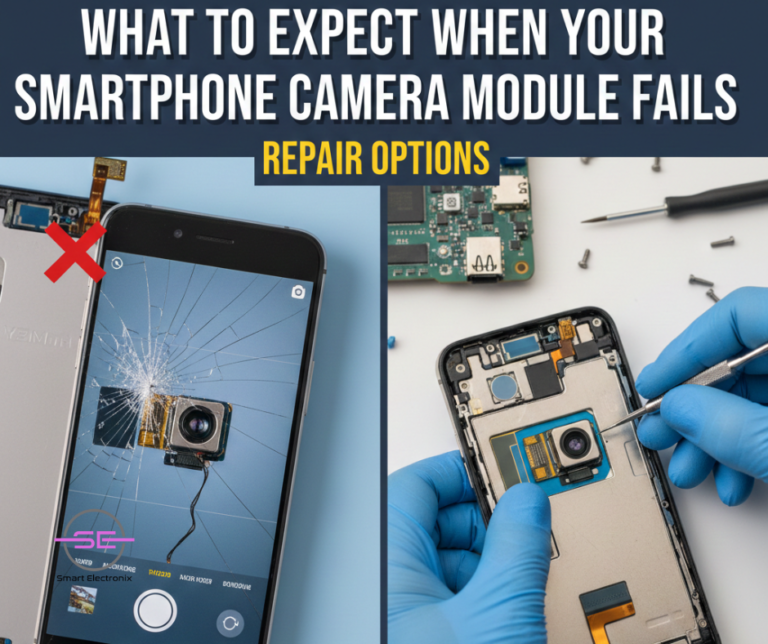
Your smartphone’s camera is no longer just a lens—it’s your memory keeper, your social tool, your scanner, your flashlight, and sometimes even your income source. That’s why when the camera module fails, it feels like half the phone has stopped working.
In 2025, smartphones come with multi-lens setups, optical sensors, AI enhancements, stabilisation systems, and advanced autofocus hardware. These make cameras impressive—but also more sensitive to damage.
At Smart Electronix, we regularly see users panicking when their camera stops working.
The good news? Most camera module issues can be fixed—and often without replacing the entire device.
This guide breaks down everything you need to know about camera module failures, symptoms, causes, repair options, and how to avoid future issues.
⭐ 1. Signs Your Smartphone Camera Module Is Failing
Your phone usually gives you early warning signs before the camera completely stops working. Look for:
1. Black screen when opening the camera app
No image, no preview—just darkness.
2. “Camera Failed” or “Unable to Connect to Camera” errors
Common across Samsung, Xiaomi, Oppo, and Pixel devices.
3. Blurry, foggy, or out-of-focus images
Even after cleaning the lens.
4. Shaking, vibrating, or buzzing sounds
This indicates OIS (Optical Image Stabilization) hardware failure.
5. Camera app freezing
Especially when switching between front and rear cameras.
6. Flash not working or constantly flickering
7. Lenses not switching
Ultra-wide or telephoto lenses stop responding.
8. Strange colours or static interference
A sign of sensor corruption.
If you see one or more of these symptoms, the issue is likely with the camera module, not just the software.
⭐ 2. What Causes Smartphone Camera Modules to Fail?
Modern camera hardware is complex. Here are the most common reasons behind failure:
1. Drops and Physical Impact
A fall can damage:
-
sensor
-
OIS mechanism
-
lens alignment
-
ribbon cable connections
Even with a protective case, camera lenses are still vulnerable.

2. Water and Moisture Exposure
Even water-resistant phones can suffer:
-
fogged lenses
-
corrosion on the camera flex
-
condensation inside the module
Moisture damage often shows up weeks after the incident.
3. Manufacturing or Firmware Issues
Some brands have recurring problems with:
-
corrupted camera firmware
-
driver failures
-
post-update bugs
Firmware-related failures often require reprogramming.
4. Dust & Debris Inside the Lens
Dust under the glass creates:
-
blurry spots
-
shadowy patches
-
inconsistent focus
This requires professional cleaning or module replacement.
5. Failed OIS Motor
Optical Image Stabilization motors tend to wear out, causing:
-
shaking images
-
buzzing noise
-
unstable focus
6. Third-Party Apps Interfering
Some apps misuse camera APIs, causing soft failures.
7. Battery Swelling
On older devices, swelling batteries push against internal components—including the camera.
⭐ 3. Your Repair Options (Explained by Smart Electronix)
When your camera fails, you have three practical options. Let’s break down the pros, cons, and costs in Australia.
Option 1: Software-Based Repair (If It’s a Software Issue)
Smart Electronix first performs diagnostics to rule out software problems.
Fixes include:
-
resetting camera drivers
-
calibrating focus motors
-
rolling back firmware
-
clearing corrupted system files
-
reinstalling the stock camera app
Good news:
Software fixes are usually fast and affordable.
When it works:
-
post-update issues
-
app conflicts
-
camera not opening
-
black preview due to driver errors
Cost: Low
Time: 30–60 minutes
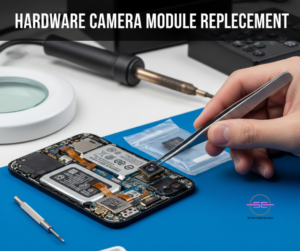
Option 2: Hardware Camera Module Replacement
If the hardware is damaged, replacing the module is the most common repair.
At Smart Electronix, we replace:
-
wide camera
-
ultra-wide camera
-
telephoto/periscope camera
-
macro camera
-
selfie camera
When replacement is needed:
-
cracked internal lens
-
OIS motor failure
-
sensor damage
-
moisture or corrosion
-
loose flex cable
-
no image or black preview
Cost in Australia (approx.):
-
Rear camera module: $120 – $350
-
Front camera: $80 – $180
-
Premium flagships (Samsung Ultra, iPhones, Pixel Pro): $250 – $450
Why it works well:
Camera modules are self-contained, so replacing one usually restores full functionality.
Option 3: Motherboard-Level Repair (Advanced Cases)
Sometimes the camera module is fine—but the motherboard isn’t sending proper signals.
Common motherboard-level issues:
-
broken camera IC
-
damaged power IC lines
-
short circuits
-
liquid-damaged solder joints
-
corrupted EEPROM
This requires:
-
micro-soldering
-
component replacement
-
circuit tracing
-
reballing or reattaching connectors
Smart Electronix uses state-of-the-art tools to repair these faults.
Cost:
$150 – $399 depending on complexity
When this is needed:
-
camera still fails after module replacement
-
device crashes when opening camera
-
OIS power line damaged
-
no camera detection in settings
⭐ 4. Temporary Things You Can Try at Home
Before rushing to repair, try these steps:
✔ Restart your device
A temporary background process may be blocking the camera.
✔ Clear camera app cache
Especially effective for Android.
✔ Disable third-party camera apps
They may lock the sensor.
✔ Boot in Safe Mode
If the camera works in Safe Mode, the issue is from an app.
✔ Perform a factory reset
Last resort—back up first.
If none of these help, it’s likely hardware related.
⭐ 5. How to Prevent Future Camera Module Failures
Smart Electronix recommends these practices:
1. Always use a case with camera protection
Raised bezels protect against rear camera cracking.
2. Avoid exposing your phone to steam
Hot bathrooms are dangerous for camera sensors.
3. Keep your phone away from magnets
Magnets can disrupt OIS systems.
4. Clean the lens with microfiber
Avoid tissues, which scratch coatings.
5. Never use cheap chargers
Voltage spikes can damage camera circuits.
6. Protect your phone from heat
Extreme temperatures weaken adhesive and affect sensors.
7. Update carefully
Poorly optimized firmware updates occasionally break camera functionality.
⭐ 6. When to Visit Smart Electronix
You should bring your phone in immediately if:
-
the camera shows a black screen
-
it vibrates or clicks
-
the lens glass is cracked
-
moisture under the lens is visible
-
OIS appears unstable
-
photos are blurry despite cleaning
-
camera app crashes repeatedly
Delaying repair can cause:
-
corrosion
-
flex cable damage
-
motherboard short circuits
The sooner you get diagnostics, the easier (and cheaper) the fix.
⭐ Final Thoughts
Smartphone camera failures feel frustrating—but they’re highly repairable. Whether it’s a software glitch, a damaged OIS motor, or a corrupted sensor, Smart Electronix offers reliable, professional repair solutions throughout Australia.
With expert diagnostics, genuine parts, and skilled technicians, we ensure your camera works like new—so you never miss a moment.
Want a same-day repair?
Smart Electronix is here to help.