
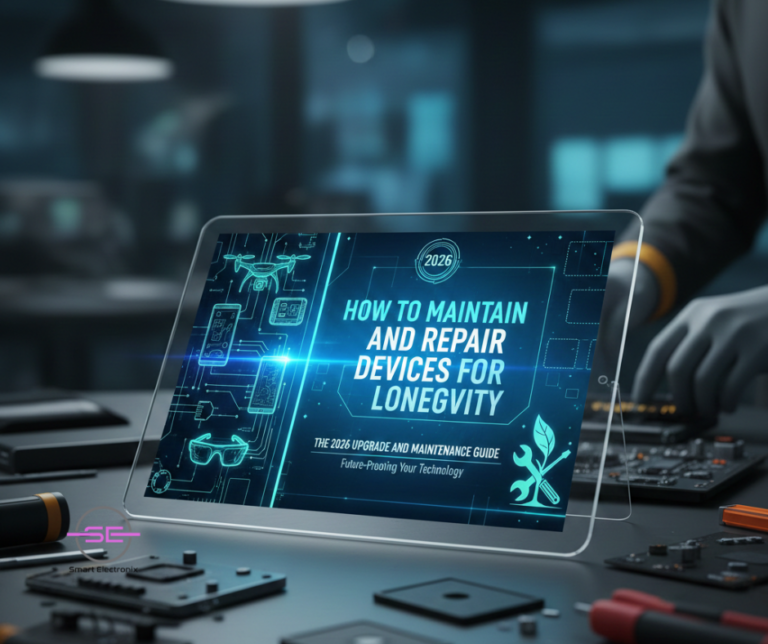
In 2026, smartphones, laptops, tablets, and smart devices are more powerful than ever — but also more expensive, more complex, and harder to replace. With rising device prices, ongoing chip shortages, and growing environmental concerns, device longevity has become a top priority for consumers and repair professionals alike.
At Smart Electronix, we see a clear trend: people want their devices to last longer, perform better, and stay repairable without frequent upgrades. The good news? With the right maintenance habits, smart upgrades, and timely repairs, modern devices can easily last 5–7 years or more.
This guide breaks down how to properly maintain, upgrade, and repair devices in 2026 to maximise lifespan, performance, and value.
Why Device Longevity Matters More in 2026
Several major shifts are shaping how we use and maintain technology today:
-
Device prices continue to rise due to supply-chain instability
-
Firmware updates are heavier and more demanding
-
Modern devices are thinner and more repair-sensitive
-
Environmental regulations encourage repair over replacement
-
Consumers are holding onto devices longer
Replacing a device every 1–2 years is no longer practical or sustainable. Instead, maintenance-first ownership is the new standard.
1. Battery Care: The Foundation of Device Longevity
Batteries remain the most common failure point in phones and laptops.
Best Battery Practices for 2026
-
Keep charge levels between 20% and 80%
-
Avoid overnight charging when possible
-
Use certified chargers and cables only
-
Prevent overheating during charging
-
Avoid fast charging unless necessary
Battery Replacement vs Delaying
Replacing a worn battery can:
-
Restore performance speed
-
Improve system stability
-
Prevent unexpected shutdowns
-
Extend device life by years
At Smart Electronix, battery replacement is often the single most cost-effective upgrade.
2. Storage & Performance Maintenance
As operating systems evolve, storage performance becomes critical.
How Storage Affects Longevity
-
SSD slowdowns cause system lag
-
Nearly full storage reduces efficiency
-
File system corruption increases crashes
Maintenance Tips
-
Keep 20–25% free storage space
-
Regularly clear cache and temporary files
-
Avoid low-quality external drives
-
Upgrade HDDs to SSDs where possible
A simple SSD upgrade can make a 5-year-old laptop feel new again.
3. Cooling, Thermal Health & Overheating Prevention
Thermal stress silently kills components over time.
Common Causes of Overheating
-
Dust-clogged vents
-
Dried thermal paste
-
Heavy background processes
-
Poor airflow design
Best Practices
-
Clean vents every 6–12 months
-
Replace thermal paste every 2–3 years
-
Avoid using laptops on soft surfaces
-
Use cooling pads for heavy workloads
Overheating leads to:
-
CPU throttling
-
Battery degradation
-
GPU failure
-
Sudden shutdowns
Preventing heat damage dramatically improves lifespan.
4. Firmware & Software Updates — Handle With Care
Updates improve security but can also introduce problems.
Smart Update Strategy
-
Avoid updating immediately on release day
-
Back up data before major firmware updates
-
Ensure sufficient battery and storage
-
Watch for known update issues
Warning Signs After Updates
-
Boot loops
-
Rapid battery drain
-
Touch or camera failures
-
Connectivity issues
When updates go wrong, professional diagnostics can prevent permanent damage.
5. Screen, Hinge & Physical Wear Management
Modern devices are thinner, foldable, and more fragile.
Physical Longevity Tips
-
Use protective cases (not bulky, but shock-absorbent)
-
Replace cracked screens early to avoid further damage
-
Protect foldable hinges from dust and debris
-
Avoid pressure on device corners
Small cracks often lead to:
-
Moisture ingress
-
Touch failure
-
OLED burn-in
-
Board corrosion
Early repairs save money and prevent bigger failures.
6. Connectivity Components: Ports, Wi-Fi & Bluetooth
Charging ports, antennas, and wireless modules wear out gradually.
Maintenance Tips
-
Avoid charging cables under tension
-
Clean ports using proper tools (not metal pins)
-
Address Wi-Fi dropouts early
-
Update network drivers regularly
Many “slow Wi-Fi” issues are actually:
-
Antenna damage
-
Port corrosion
-
Firmware conflicts
Proper diagnostics matter.
7. Upgrade Smart — Not Often
Instead of replacing devices, upgrade strategically.
Best Upgrades for Longevity
-
Battery replacement
-
SSD or RAM upgrade
-
Keyboard or fan replacement
-
Thermal servicing
-
OS optimisation
Avoid Unnecessary Upgrades
-
Cosmetic-only upgrades
-
Unsupported firmware flashing
-
Cheap aftermarket parts
Smart upgrades extend device life without compromising stability.
8. Repair Early, Not Late
Ignoring small issues leads to catastrophic failure.
Early Warning Signs
-
Random restarts
-
Unusual heating
-
Flickering display
-
Slower charging
-
Battery swelling
Repairing early:
-
Costs less
-
Preserves data
-
Prevents board damage
-
Improves resale value
Delaying repairs often multiplies costs.
9. Sustainability & E-Waste Reduction
Longevity supports sustainability.
By repairing instead of replacing, you:
-
Reduce electronic waste
-
Lower carbon footprint
-
Conserve rare materials
-
Support circular economy
In 2026, eco-conscious repair isn’t optional — it’s responsible ownership.
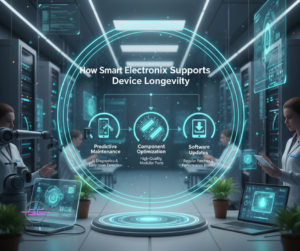
10. How Smart Electronix Supports Device Longevity
At Smart Electronix, our repair philosophy is repair-first, replace-last.
Our Longevity-Focused Services
-
Full diagnostic assessments
-
Battery health analysis
-
SSD & RAM upgrades
-
Firmware recovery
-
Thermal optimisation
-
Screen & hinge repairs
-
Eco-friendly refurbishment
We help Australians get maximum value and lifespan from their devices.
Final Thoughts
In 2026, the smartest upgrade isn’t always a new device — it’s better maintenance and smarter repair choices. With the right habits, professional diagnostics, and timely upgrades, modern devices can remain reliable, fast, and secure for years.
Device longevity isn’t just about saving money — it’s about sustainability, performance, and smarter tech ownership.
Smart Electronix is here to help you keep your devices running longer, stronger, and smarter.