
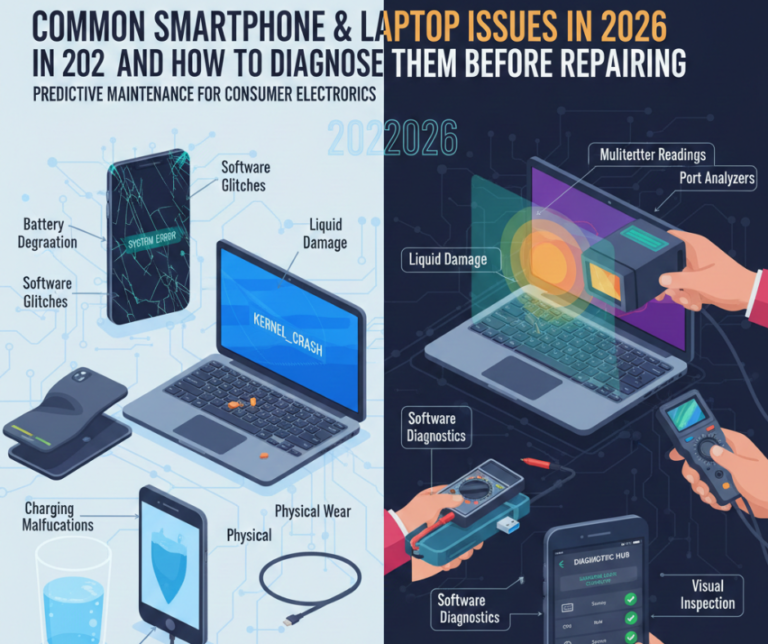
In 2026, smartphones and laptops are smarter, faster, and more interconnected than ever — but they’re also more complex. With advanced processors, AI features, foldable designs, and constant firmware updates, modern devices can develop issues that aren’t always easy to identify.
At Smart Electronix, one of the most common problems we see isn’t the device itself — it’s misdiagnosis. Many issues that seem like major hardware failures are actually software, battery, or thermal problems that can be resolved quickly and affordably.
This guide breaks down the most common smartphone and laptop issues in 2026 and explains how to diagnose them before committing to a repair, saving time, money, and unnecessary replacements.
Why Proper Diagnosis Matters More Than Ever
Modern devices integrate hardware and software tightly. A single symptom — like slow performance or overheating — can have multiple causes.
Accurate diagnosis:
-
Prevents unnecessary part replacement
-
Reduces repair costs
-
Protects data
-
Improves long-term reliability
A rushed repair often leads to repeat failures.

Common Smartphone Issues in 2026
1. Rapid Battery Drain
Symptoms:
-
Phone loses charge quickly
-
Shuts down at 20–30%
-
Heats during normal use
Possible Causes:
-
Battery degradation
-
Firmware bugs
-
Background AI processes
-
Poor-quality chargers
How to Diagnose:
-
Check battery health in settings or diagnostics
-
Monitor background app usage
-
Test with an original charger
🔧 Often fixed with battery replacement or firmware optimisation.
2. Overheating During Normal Use
Symptoms:
-
Warm phone while idle
-
Thermal warnings
-
Reduced performance
Possible Causes:
-
Dust buildup
-
Failed thermal pads
-
CPU-intensive apps
-
Poor firmware optimisation
How to Diagnose:
-
Close background apps
-
Check temperature via diagnostics
-
Observe heat during charging vs use
3. Touchscreen & Display Issues
Symptoms:
-
Unresponsive areas
-
Ghost touches
-
Flickering or dim display
Possible Causes:
-
Display cable wear
-
Moisture exposure
-
Firmware issues
-
Impact damage
How to Diagnose:
-
Screenshot test (if issue doesn’t appear, hardware likely)
-
Safe mode testing
-
Visual inspection for cracks or pressure marks
4. Charging Port Problems
Symptoms:
-
Slow or inconsistent charging
-
Cable only works at an angle
-
No charging indicator
Possible Causes:
-
Lint or debris
-
Port corrosion
-
Cable damage
How to Diagnose:
-
Try different cables
-
Inspect port with light
-
Wireless charging test (if supported)
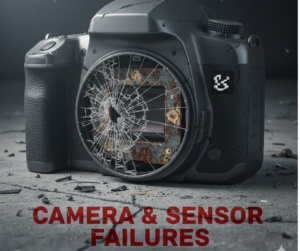
5. Camera & Sensor Failures
Symptoms:
-
Blurry photos
-
Camera app crashes
-
Face unlock fails
Possible Causes:
-
Firmware incompatibility
-
Module damage
-
Moisture ingress
How to Diagnose:
-
Test in safe mode
-
Run sensor diagnostics
-
Check for physical fogging
Common Laptop Issues in 2026
1. Slow Performance
Symptoms:
-
Long boot times
-
App lag
-
Freezing
Possible Causes:
-
Failing SSD
-
Overloaded startup apps
-
Thermal throttling
How to Diagnose:
-
Check SSD health
-
Monitor CPU temperatures
-
Review startup programs
2. Overheating & Fan Noise
Symptoms:
-
Loud fans
-
Hot keyboard
-
Sudden shutdowns
Possible Causes:
-
Dust-clogged vents
-
Dried thermal paste
-
Failing fan
How to Diagnose:
-
Monitor temperatures under load
-
Inspect vents
-
Listen for irregular fan noise
3. Battery Not Holding Charge
Symptoms:
-
Short battery life
-
Charging issues
-
Sudden shutdowns
Possible Causes:
-
Worn battery
-
Firmware misreporting
-
Power management faults
How to Diagnose:
-
Battery health report
-
Compare plugged vs unplugged performance
-
BIOS diagnostics
4. Wi-Fi & Connectivity Problems
Symptoms:
-
Slow internet
-
Frequent disconnects
-
Bluetooth dropouts
Possible Causes:
-
Driver issues
-
Antenna damage
-
Firmware conflicts
How to Diagnose:
-
Test on multiple networks
-
Update drivers
-
External Wi-Fi adapter test
5. Keyboard & Trackpad Issues
Symptoms:
-
Unresponsive keys
-
Random cursor movement
Possible Causes:
-
Liquid residue
-
Ribbon cable wear
-
Firmware conflicts
How to Diagnose:
-
External keyboard test
-
BIOS input test
-
Visual inspection
Warning Signs That Require Immediate Professional Help
Seek professional diagnostics if you notice:
-
Burning smell
-
Swelling battery
-
Corrosion
-
Random power loss
-
Firmware boot loops
Ignoring these can lead to irreversible damage.
Why DIY Diagnosis Has Limits
While basic checks are helpful, modern devices require:
-
Manufacturer-grade diagnostic tools
-
Thermal profiling
-
Power rail testing
-
Firmware integrity checks
Incorrect DIY repairs can turn small issues into major failures.
How Smart Electronix Diagnoses Devices in 2026
At Smart Electronix, diagnostics go beyond surface symptoms:
✔ Hardware & software analysis
✔ Battery & thermal health checks
✔ Firmware integrity testing
✔ Component-level inspection
✔ Clear repair vs replace advice
Our goal is accurate diagnosis before repair, not guesswork.
Final Thoughts
In 2026, smartphone and laptop issues are more complex—but also more diagnosable than ever. Understanding symptoms before repairing helps users avoid unnecessary costs and make smarter decisions.
If your device isn’t working as expected, don’t assume the worst. With proper diagnosis and expert support, many issues can be resolved quickly and affordably.
Smart Electronix is here to diagnose, repair, and extend the life of your devices—smartly and responsibly.